
Battery life plays a crucial role in how effectively we can use our smartphones, especially in today’s world where they are integral to both work and personal life. From managing business emails and social media to streaming videos and playing mobile games, your phone is constantly in use, and battery drainage can quickly become a daily frustration. However, with a few practical adjustments, you can significantly extend your smartphone’s battery life without sacrificing convenience or performance. In this article, we will explore detailed and actionable strategies to prolong your smartphone’s battery life, helping you keep your device powered throughout the day.
Best Charging Habits to Optimize Battery Health?
Charging your smartphone the right way is essential for maintaining long-term battery health. One of the most common mistakes people make is allowing their phone to reach 0% before charging or keeping it plugged in for extended periods, especially overnight. A simple yet effective practice is to maintain your phone’s battery between 20% and 80%. Another important aspect to consider is the use of fast charging. While fast chargers can be incredibly convenient when you’re in a hurry, using them too often generates more heat, which can have a negative impact on battery health over time. Instead, consider using regular chargers when possible and reserve fast charging for those times when you’re really short on time. Lastly, if you’re not planning on using your phone for an extended period, store it with a partial charge — ideally around 50% — to help preserve battery health during periods of inactivity.
Power-Saving Modes Improve Battery Life
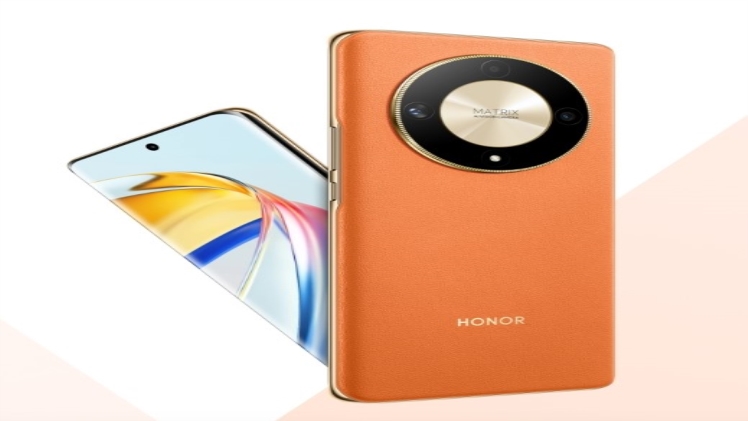
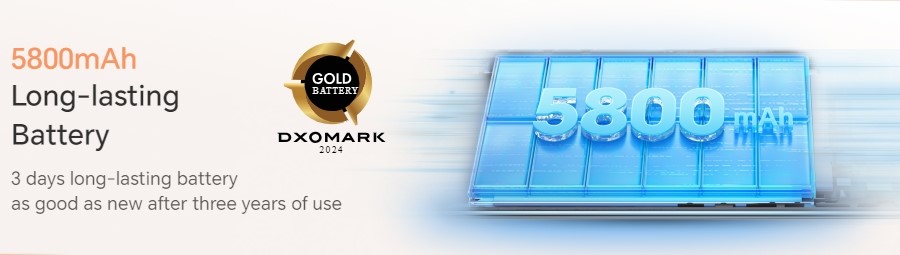
Power-saving modes are designed to extend battery life by limiting background activity and reducing performance in non-essential areas. Most smartphones have built-in power-saving settings that can significantly prolong battery life when activated. These modes often reduce screen brightness, limit app refresh rates, and turn off non-essential services like location tracking and background app usage. For example, the HONOR X9 5G comes equipped with power-saving features and a long-lasting 5800mAh battery, making it ideal for users who require extended battery life. This smartphone can last up to 19 hours of online video playback and 12 hours of gaming, even with moderate to heavy use. Additionally, its intelligent battery management system automatically adjusts settings based on your usage patterns, ensuring optimal battery efficiency.
Managing Background Apps and Processes
Limit Background Activities to Save Battery Life
One of the main reasons for unexpected battery drain is the continuous activity of apps running in the background. These apps often refresh data, track your location, and send notifications, all of which can significantly reduce your phone’s battery life. Regularly closing or disabling apps that you’re not using can provide an instant boost in efficiency. By making this a habit, you can greatly extend your device’s daily battery performance. Moreover, you’ll notice your phone running smoother with fewer background processes consuming resources.
Adjust App Permissions and Sync Intervals
Many smartphones offer settings to limit background activities for individual apps, especially those like social media and GPS-based services. Reducing location services to only be active when the app is in use, and adjusting data sync intervals for email and messaging apps, can result in considerable battery savings. This simple tweak can prevent unnecessary battery drain and help your phone last longer throughout the day. As an added benefit, these adjustments also reduce data usage, which is useful for staying within mobile data limits.
How Can Display Settings Affect Battery Consumption?
Your smartphone’s display is typically the biggest battery drain, especially if you keep your brightness at maximum or use high-refresh-rate settings. Adjusting your display settings can have a dramatic impact on extending battery life. One of the simplest ways to reduce battery consumption is to lower your screen brightness. Although many users prefer to have their screens at maximum brightness for better visibility, you can significantly extend battery life by dimming it to a comfortable level or enabling auto-brightness. Another effective way to save battery is by using Dark Mode, which is now available on most smartphones. For devices with OLED or AMOLED screens, using Dark Mode can substantially lower power consumption, as black pixels on these types of displays do not require backlighting.
What Are Some Unnecessary Features to Disable for Better Battery Life?
Bluetooth, GPS, and Wi-Fi are three common features that can significantly reduce battery life when left on all the time. If you’re not actively using them, turning these features off can provide an immediate improvement in battery performance. For instance, leaving your phone’s Wi-Fi on in an area with no available network causes your device to continuously search for connections, which uses up battery. Similarly, keeping GPS or Bluetooth on when you’re not using them can also drain your battery faster. Airplane Mode is another tool you can use to conserve battery. When you’re in areas with poor or no signal, your phone constantly searches for a network, which consumes a lot of energy. Enabling Airplane Mode in these situations stops your phone from wasting power on trying to connect to a weak signal, giving you extra hours of battery life when you need it most.
Conclusion
Extending your smartphone’s battery life doesn’t require drastic changes to how you use your device. By adopting better charging habits, using power-saving modes, managing background apps, adjusting your display settings, and disabling unnecessary features, you can make your battery last significantly longer. These small, actionable changes will help you get the most out of your smartphone, whether you’re working, gaming, or simply staying connected throughout the day.
